OhMyStar
Turn GitHub stars into a working library.
OhMyStar is a native Mac workspace for the repositories you want to remember and reuse. Browse by tag or language, search and sort your starred library, inspect project details, and read README content without losing your place.

The App Store badge opens the current public 2.2.8 release. The interface, screenshots, and feature details on this page describe the 3.0.0 codebase now completing release preparation.

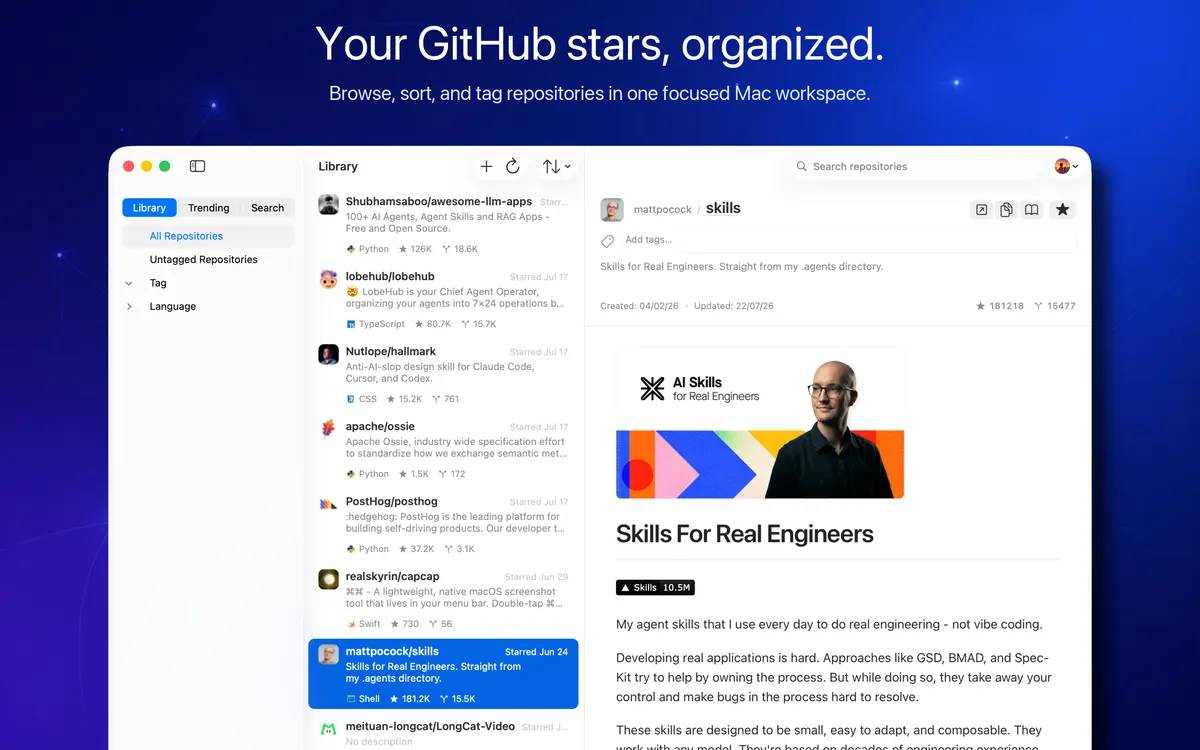
Keep starred repositories in a focused three-column Mac workspace instead of losing useful projects in a long browser list.
Organize with your own tags, language and untagged filters, repository search, and practical sort options.
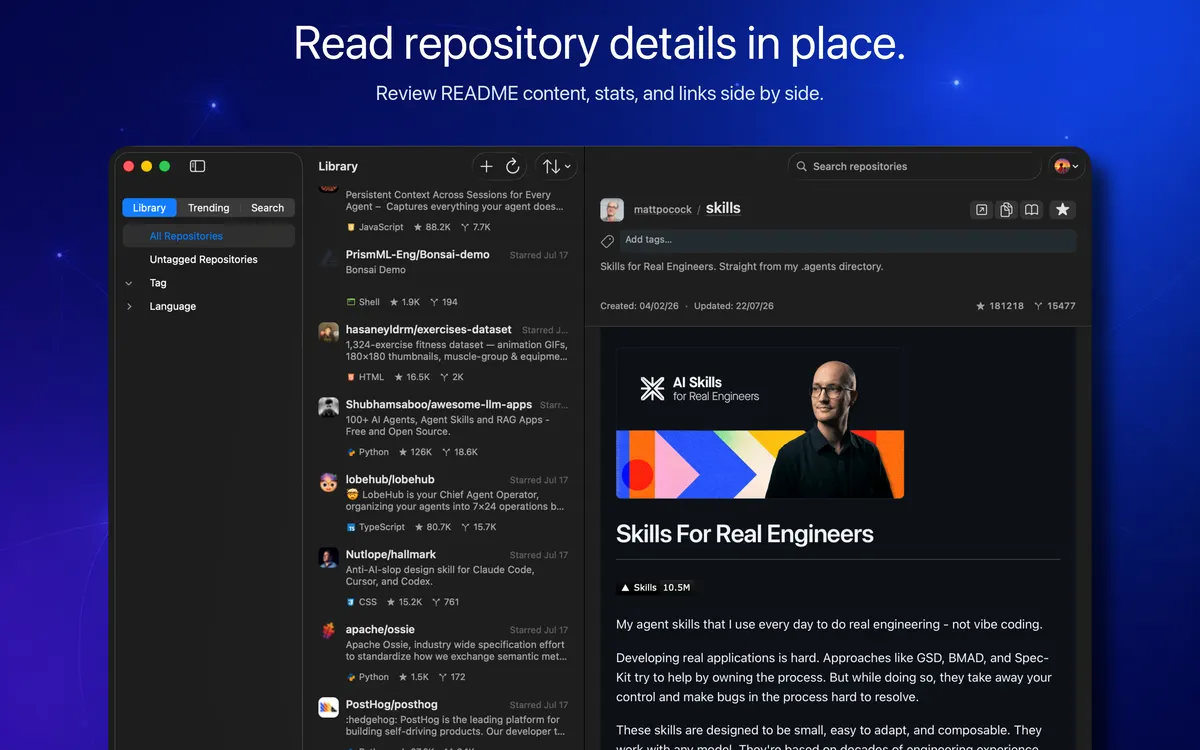
Read repository details and README content in place, then star, unstar, open, or copy the links you need.
A real look at Version 3
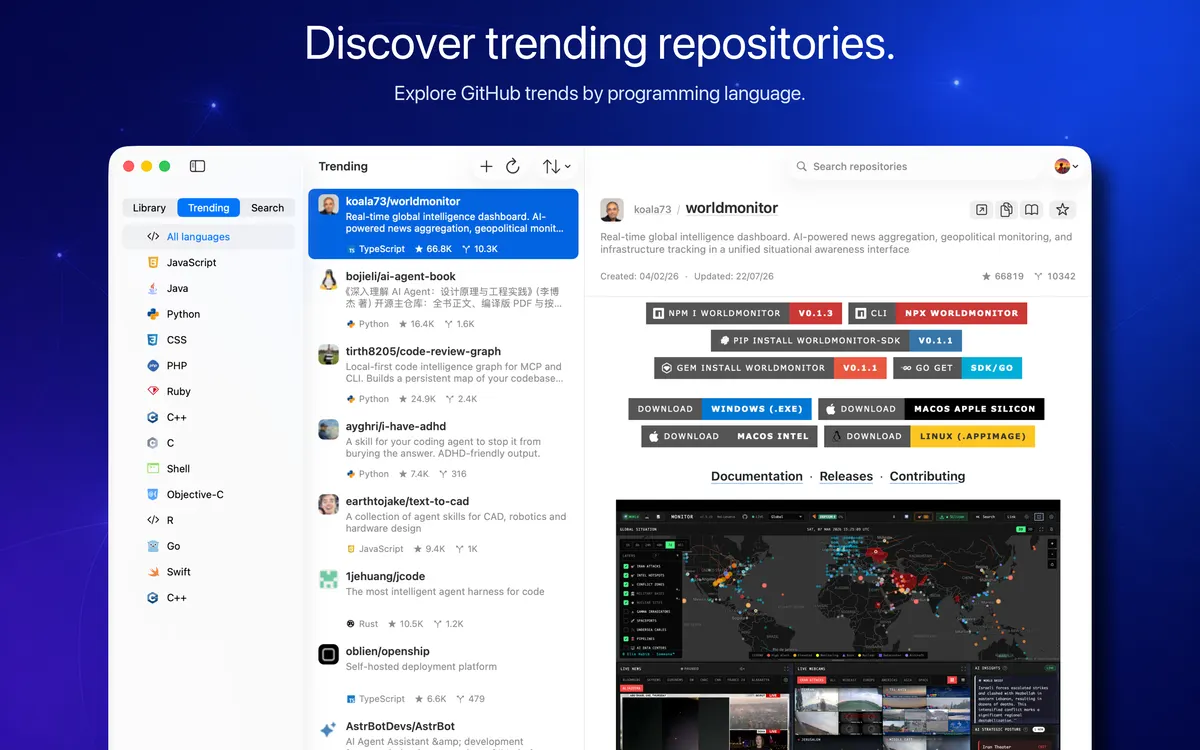
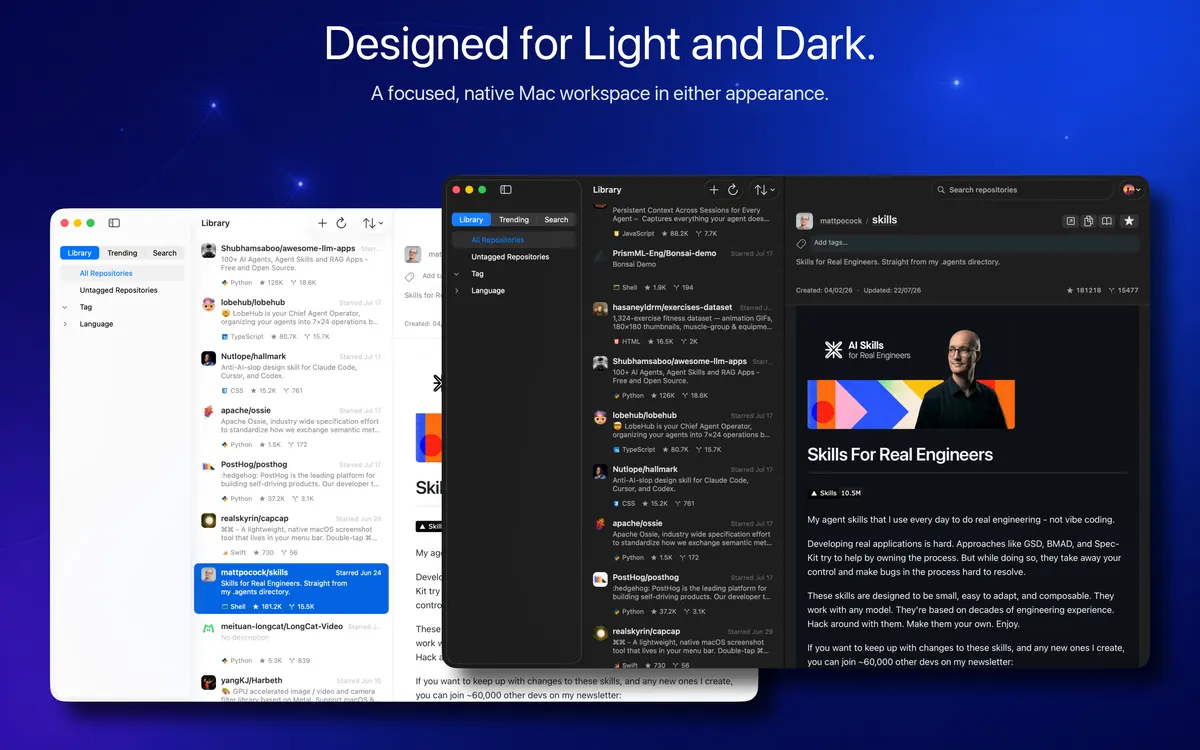
These are the current 3.0.0 release-preparation screenshots from the app repository, not generic mockups. They show the native workspace, Trending, README reading, and both macOS appearances.
From authorization to rediscovery
Authorize with GitHub
Use GitHub Device Flow in your browser, review the requested public_repo permission, and return to OhMyStar after approval.
Build your local library
OhMyStar downloads your starred public-repository metadata directly from GitHub and keeps a working library on this Mac.
Tag, filter, and search
Attach custom tags, find untagged items, filter by programming language, search names, owners, and descriptions, then sort the result.
Read and rediscover
Review repository details and README content side by side, or switch to Trending to explore daily, weekly, and monthly open-source activity.
Clear data boundaries
OhMyStar is local-first for your working library, but it is not an offline-only app. GitHub, Apple services, the Trending endpoint, and remote README resources are used for the features you choose.
Local Mac library
GitHub account fields, the OAuth token, repository metadata, tags, settings, cached images and READMEs, and Pro entitlement state are stored locally. Signing out clears the token but does not erase the local library.
Direct GitHub access
Device authorization, profile and stars loading, README requests, search fallback, and star or unstar actions go directly between the app and GitHub under the permission you approve.
Manual private iCloud transfer
Pro users can explicitly download, merge, replace, or delete tag organization in their private CloudKit database. This stores tag names, repository IDs, and the GitHub numeric user ID—not the OAuth token or complete repository library.
Public Trending service
Trending sends the selected language and daily, weekly, or monthly range to an OhMyStar Cloudflare Worker. The service does not receive your GitHub OAuth token, local tags, or GitHub profile.
Verified Version 3 capabilities
Browse GitHub stars in a focused native three-column workspace
Filter repositories by custom tag, programming language, or untagged status
Search repository names, owners, and descriptions
Sort by recently starred, star count, or repository name
Read repository details and README content without leaving the workspace
Star or unstar repositories and open project, homepage, or clone links
Explore GitHub Trending by language and daily, weekly, or monthly range
Import OhMyStar, Astral, and OhMyStar 1.x organization data
Export tag-to-repository organization as a portable JSON backup
Use optional manual private iCloud tag transfer with OhMyStar Pro
Choose light, dark, or system appearance across 25 interface localizations
Control launch at login, local caches, and optional on-device diagnostic logs
Free Mac App Store download
The public app is free to download. GitHub library browsing, tags, filters, search, repository details, and core organization remain central to OhMyStar.
OhMyStar Pro
Monthly and yearly subscriptions use localized App Store pricing. The current Version 3 interface lists manual private iCloud data transfer, distraction-free standalone README reading, and future Pro features as Pro benefits.
Apple handles billing, renewal, cancellation, refunds, and purchase restoration. No region-specific price is hard-coded on this page.
Product documents
The documents below are specific to OhMyStar. The Privacy Policy clearly separates the current public build from the Version 3 behavior described here.
Privacy Policy
Read the Version 3 data map for GitHub authorization, local storage, private iCloud transfer, StoreKit, Trending, README resources, diagnostics, retention, and controls.
Read documentTerms of Use
Review the GitHub account responsibilities, local data and backups, Pro subscription terms, Cloud Data operations, third-party services, Apple license, availability, and liability terms.
Read documentMake your stars useful again
Download the current public OhMyStar release from the Mac App Store, or review the Version 3 privacy and terms documents before the redesigned macOS 26 edition ships.